Orders & fulfilment

Get the right cards ready to send.

Card Companion brings your online and connected marketplace orders together in Shopify. Your team has the card details to hand, ready to pick, check and pack.
Book a demo See how it works
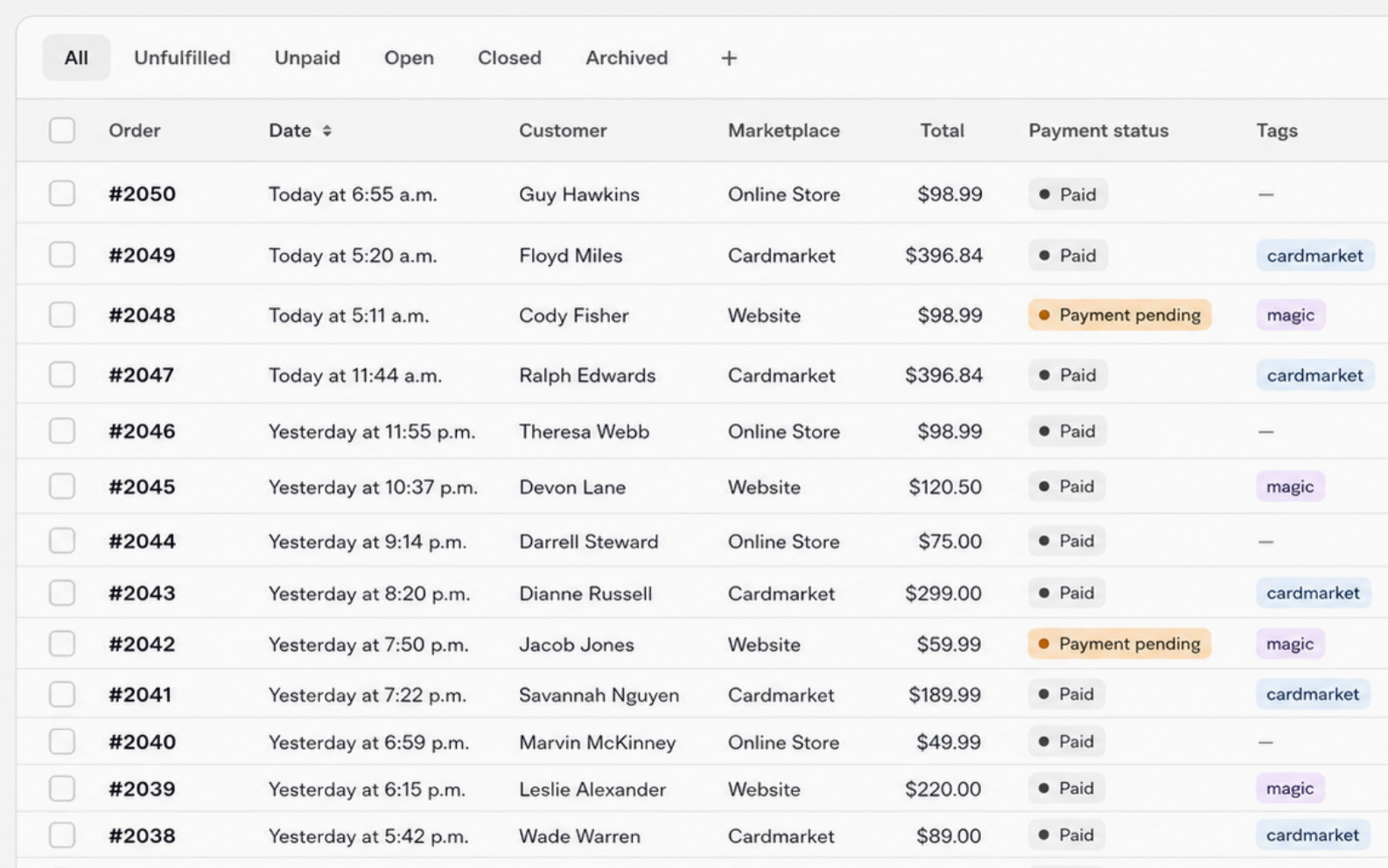
Illustrative order queue with paid online-store and marketplace orders, item counts and unfulfilled statuses

01 Bring orders together

Start with one order list.

Your website and connected marketplace orders share one list, so your team can see what needs preparing in one place.

See where each order came from and check its payment and fulfilment status before you start picking.

Your marketplace orders in one place

Orders from the marketplaces you connect.

  • Cardmarket
  • CardTrader
  • Mage Cards
  • eBayVia Marketplace Connect
Your Shopify order listAlongside orders from your online store

02 Find the right copy

Know which copies to pick.

See the printing, condition, language, finish and quantity on the order, so your team knows which copies to pick.

Order #CC-1042 · Cardmarket

Example
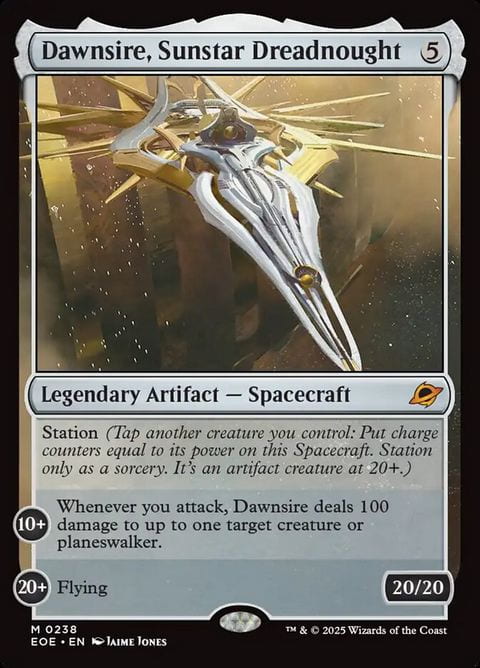
Dawnsire, Sunstar Dreadnought, Edge of Eternities card number 238

Dawnsire, Sunstar Dreadnought

Edge of Eternities · #238

Condition
Near Mint
Language
English
Finish
Non-Foil
Quantity
1 copy
Example card details for one order line.

03 Check and pack

Check the cards before you pack.

Your team can use the same order details at the packing bench to check each card and its quantity before sealing the parcel.

Update the fulfilment status as you go, so everyone can see which orders still need attention.

From pick list to packed order

The same order details at each step.

  1. Pick the cards

    Use the card details and quantity to pick the right copies.

  2. Check against the order

    Confirm the version, condition and quantity before packing.

  3. Pack and fulfil

    Prepare the parcel and update the order’s fulfilment status.

Your team handles the physical checks and packing.

Orders & fulfilment questions

A few things you might want to know.

Can marketplace orders appear beside our website orders?
Yes. Orders from connected marketplaces can appear in your Shopify order list alongside website orders. You can see where each order came from.
What helps staff find the right card?
The order can show the printing, condition, language, finish, SKU and quantity. Your team can use these details to identify and check the right copy.
Can we keep using Shopify for fulfilment?
Yes. Keep using your Shopify fulfilment workflow. Card Companion connects marketplace orders with the card and stock details your team needs.
How do we see which orders still need packing?
Check the fulfilment status to see which orders are unfulfilled, in progress or fulfilled. Payment status is shown separately, so you can check that an order is paid before picking.

Let’s walk through an order together.

We’ll show you how your team can find the cards, check the details and prepare an order to send.

Book a demo