Create Cyberpunk singles for Shopify and Cardmarket
Cyberpunk TCG is now supported in Card Companion. Build your singles catalogue in the app, add your stock and list it through your Shopify store and connected Cardmarket account.
You can now create Cyberpunk TCG singles in Card Companion and list them on your Shopify store and Cardmarket. If your store is carrying the game, you can build its catalogue alongside the other TCGs your team already manages.
Adding a new game means getting card details, variants, prices and quantities ready for sale. Card Companion gives you a catalogue to build from, so your team can prepare the products before the first busy weekend.
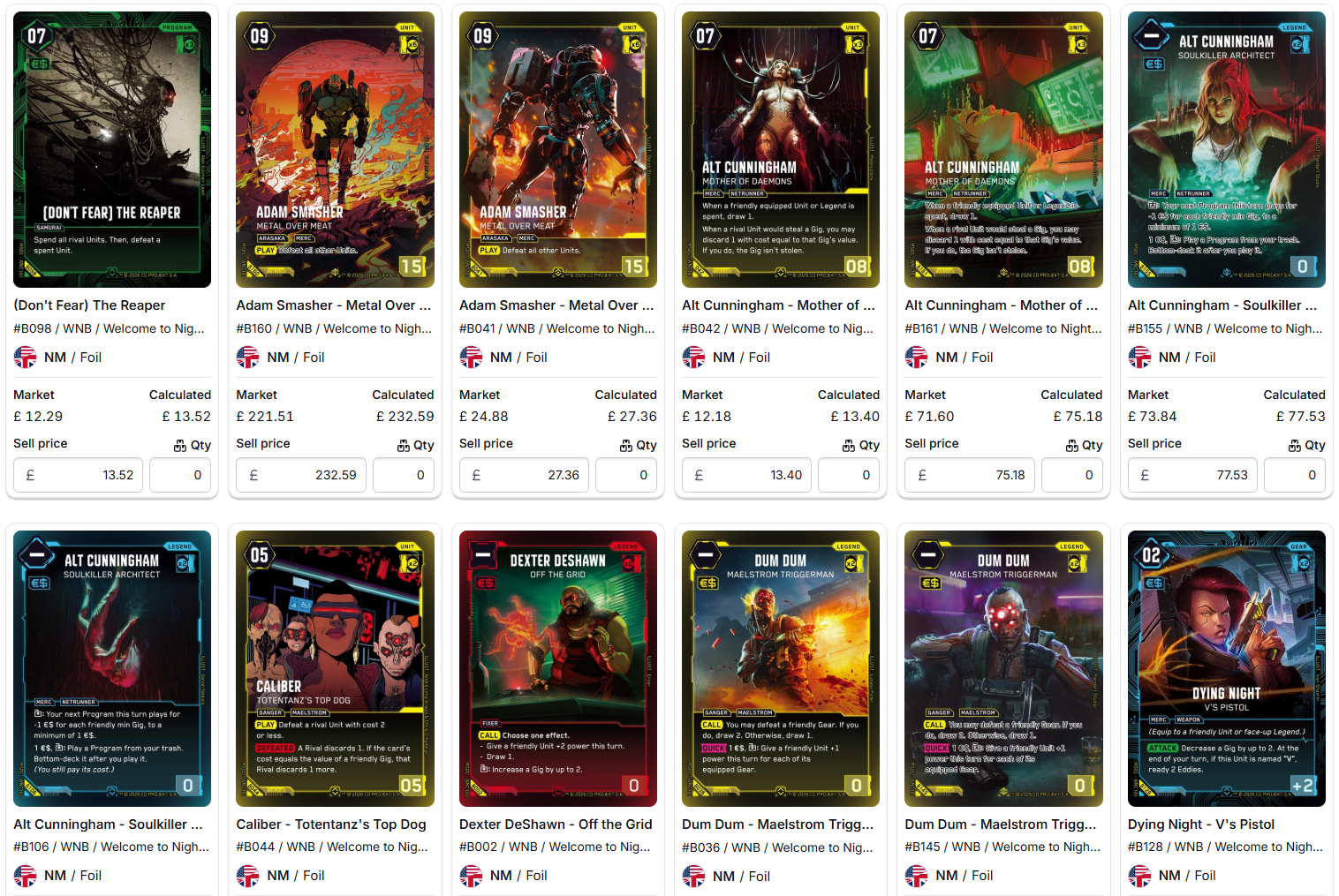
Build your Cyberpunk catalogue in the app
Open Cyberpunk in Card Companion and choose the cards you want to stock. You can create individual singles or build out a complete set from the available catalogue, with Shopify products and variants for the versions you sell.
Use the same product catalogue workflow you already use for your other games:
- Choose your Cyberpunk cards or set and create the products in Shopify.
- Review the printing, finish, language and condition so each variant matches the cards you plan to sell.
- Check your pricing settings and selling prices, then add quantities as stock arrives.
You can also prepare products before you have the cards. Keep quantities at zero until your inventory is ready, then allocate stock to the matching variants.
List the same singles on Cardmarket
With your Cardmarket account connected to Card Companion, you can list your Cyberpunk singles on Cardmarket as well as your own Shopify storefront.
Those listings connect back to the Shopify products and inventory your store already manages. Card Companion keeps stock updates across the connected channels aligned as cards sell, and brings marketplace orders into your Shopify order workflow.
Before listing your first batch, review the matching Cardmarket products, prices and quantities. Our marketplace syncing tools keep that work connected to the rest of your singles operation.
Check the version before adding stock
For Cyberpunk, pay particular attention to Beta and retail products. WeirdCo confirms that the events use different boosters and include different promos. Its official Beta and prerelease guide explains the distinction.
Match the exact version before adding quantities or comparing prices. Taking a few minutes to check the first batch gives your team a clear process to follow as more cards come in.
Start creating your Cyberpunk cards today
If you already use Card Companion, open Cyberpunk in the app and start building your catalogue. You can manage it alongside your existing games, using the same product, pricing and inventory workflows.
Planning for launch? Our Cyberpunk TCG release date and store launch guide covers the key dates, Beta and retail differences, and the jobs to prepare before stock arrives.
If you need a hand with your first set or Cardmarket connection, get in touch and we’ll help you work through the setup.