Singles catalogue
Build your singles catalogue.
Choose a few cards or a complete set. Card Companion creates your Shopify products with card details, images and the variants you sell, so you have less to fill in by hand.

01 Choose what goes live
Add one card or a whole set.
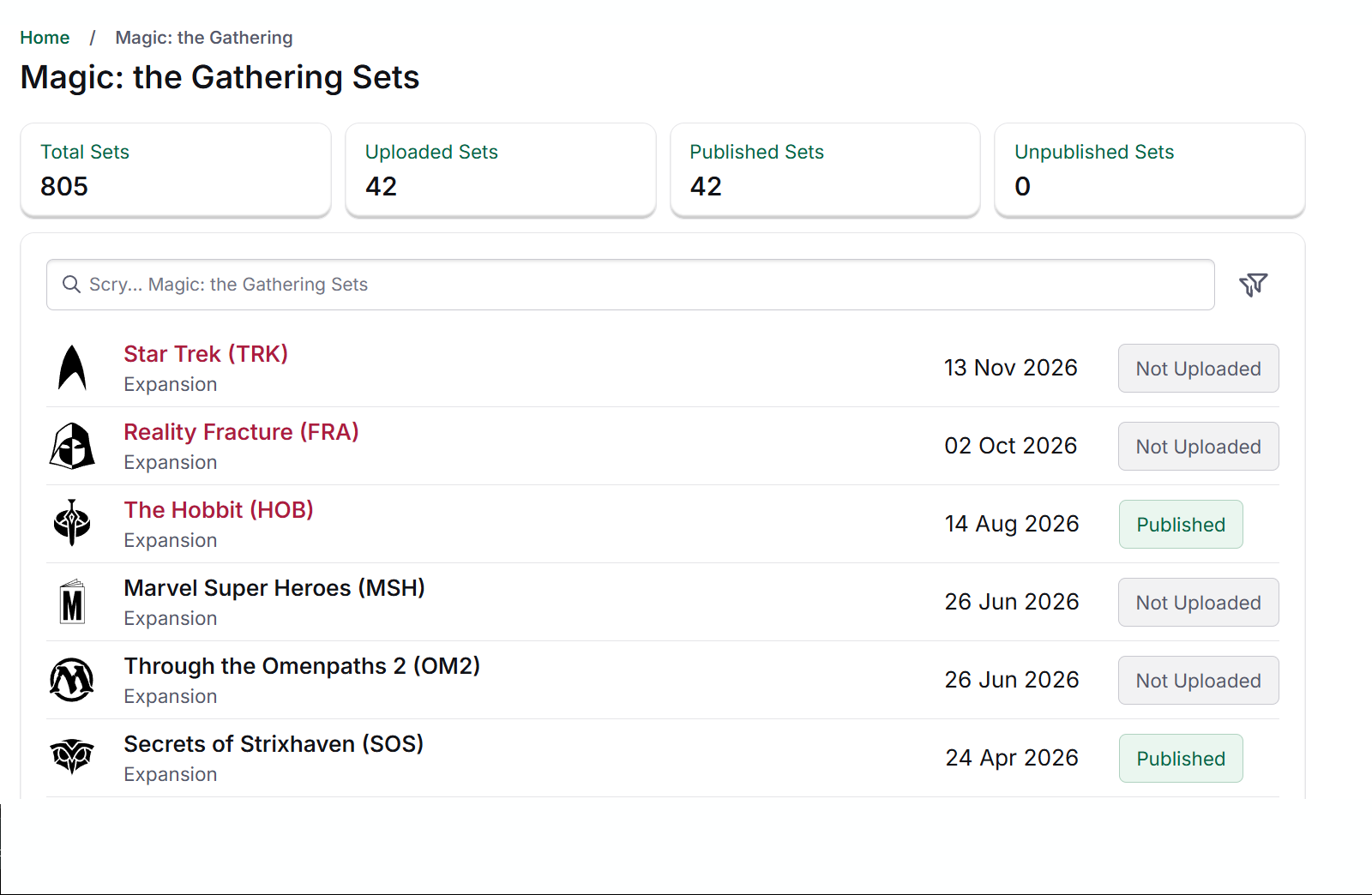
Pick the cards you want from the catalogue and choose when they go live in your store. You can prepare a set before your stock arrives, then add quantities when you have the cards.
See which sets you’ve already added and what’s still to publish. New cards and sets join the catalogue as they become available, ready for you to choose from.
02 Organise your variants
One printing. The variants you sell.
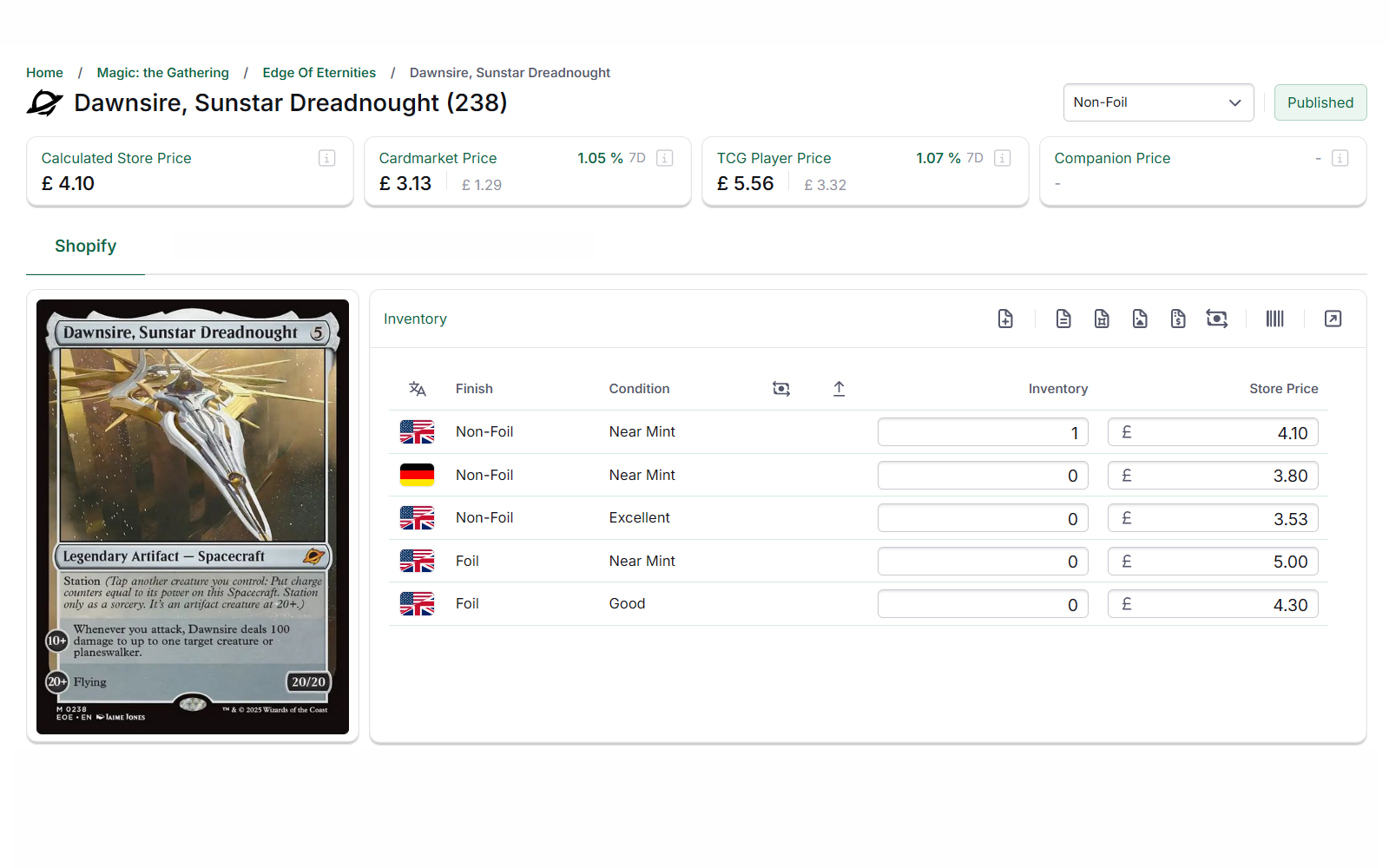
Each printing becomes a product. The conditions, languages and finishes you sell sit within it as variants, each with its own SKU, price and stock level.
A foil and a non-foil copy of the same printing can share a product page, while you manage their prices and quantities separately.
03 Live on your storefront
Help customers find the version they want.
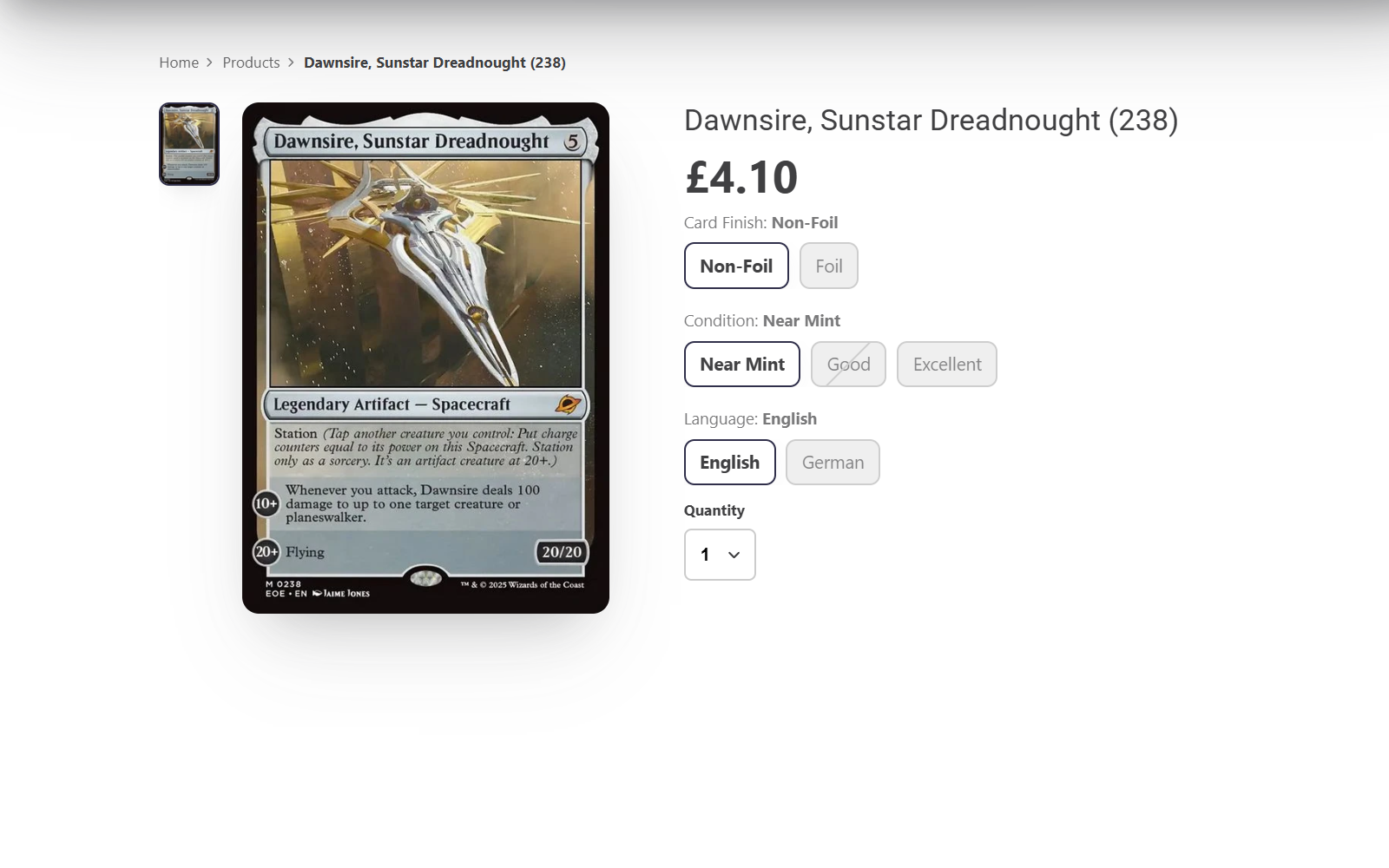
Customers choose the condition, language and finish they want on your product page. They see the price and availability for that version before adding it to their basket.
Your new products fit into your existing collections, navigation and search, so customers can find them in the store they already know.
Before you list the first set
What store owners ask us first.
- Do we need the stock before we list a card?
- No. You can publish products with zero stock and add quantities as cards arrive from packs, buylists or trade-ins.
- What happens to the products already in our Shopify store?
- Card Companion can match your existing Shopify products to catalogue records and update them in place. It can also create products for cards you haven’t added yet.
- Do prices come with the catalogue?
- Yes. Card records include market pricing, and your store’s rules set the selling price for each variant. See how automatic pricing works.
- How is this different from inventory management?
- The catalogue creates your Shopify products and variants. Inventory Management handles stock uploads, card matching and quantities, so you can add stock to those products.
More catalogue questions
- What does publishing a complete set create?
- You get a Shopify product for each printing you choose, with variants for the conditions, languages and finishes you sell. You can include the whole set or select individual cards.
- Can we add products through a bulk listing import?
- Yes. You can create products from bulk listing files made by supported tools. They use the same catalogue data and Shopify variants as cards you add individually or by set. Accepted cards from your buylist can use the same product records too.
- Which trading card games are supported?
- The catalogue supports Magic: The Gathering, Pokémon, Yu-Gi-Oh!, Disney Lorcana, One Piece Card Game, Flesh and Blood, Riftbound, Star Wars: Unlimited, Gundam Card Game and Cyberpunk TCG.
- Does the catalogue cover sealed products as well as singles?
- Yes. You can create Shopify products for sealed stock as well as singles. Singles are organised by printing, with variants for condition, language and finish.
- Can we control how products are named and organised?
- Yes. You can use your store’s naming conventions, tags, metafields and SEO fields to help new products fit the way you organise your Shopify store.
Get your next set ready to sell.
Tell us which games you sell. We’ll show you how to add a set, organise its variants and work with the products already in your store.