Card Companion Store Kiosk Is Moving Onto The Shop Floor
Let customers browse live Shopify inventory, build a basket, and send a clear order into the store's existing payment, picking, and fulfilment workflow.
Running a successful TCG store means balancing customer service, efficient order fulfilment, and making the best use of valuable retail space. As collections grow into hundreds of thousands of singles, binders, cabinets, and counter stock checks start to work harder than they should.
That's where Card Companion Store Kiosk comes in.
Designed specifically for trading card game stores, our interactive kiosk brings your products directly onto the shop floor. Customers can browse stock, build a basket, and place an order in minutes, all while staying connected to your existing Card Companion and Shopify workflow.
For launch, we've built it around three everyday store jobs:
- Browse live stock: customers can search singles, sealed, accessories, and event products without waiting for staff to check every option behind the counter.
- Keep checkout flexible: you can take payment at the till, or use a compatible Stripe Terminal when you want a more self-service route.
- Make picking clearer: kiosk baskets become Shopify orders, so staff can pick from the same order channel with the card details they need.
Browse Live Stock Without The Wait
One of the biggest frustrations for customers and staff is the endless cycle of "do you have this card in stock?" Every time that question turns into a behind-the-counter search, the customer waits and the team gets pulled away from the work where they add the most value.
With the kiosk, customers can browse your up-to-date inventory themselves. They can search for a card, compare versions, check the price, and add the right copy to a basket without feeling like they are holding up the queue.
Because the kiosk uses the system your team already handles in Shopify through Card Companion, there is no separate shop-floor list to maintain. Staff can stay focused on expert customer service: checking condition, talking through substitutions, and helping customers choose the right card once the search is already narrowed down.
Checkout Can Stay Where It Makes Sense
Every store runs the counter a little differently, so the kiosk supports both assisted and self-service checkout flows.
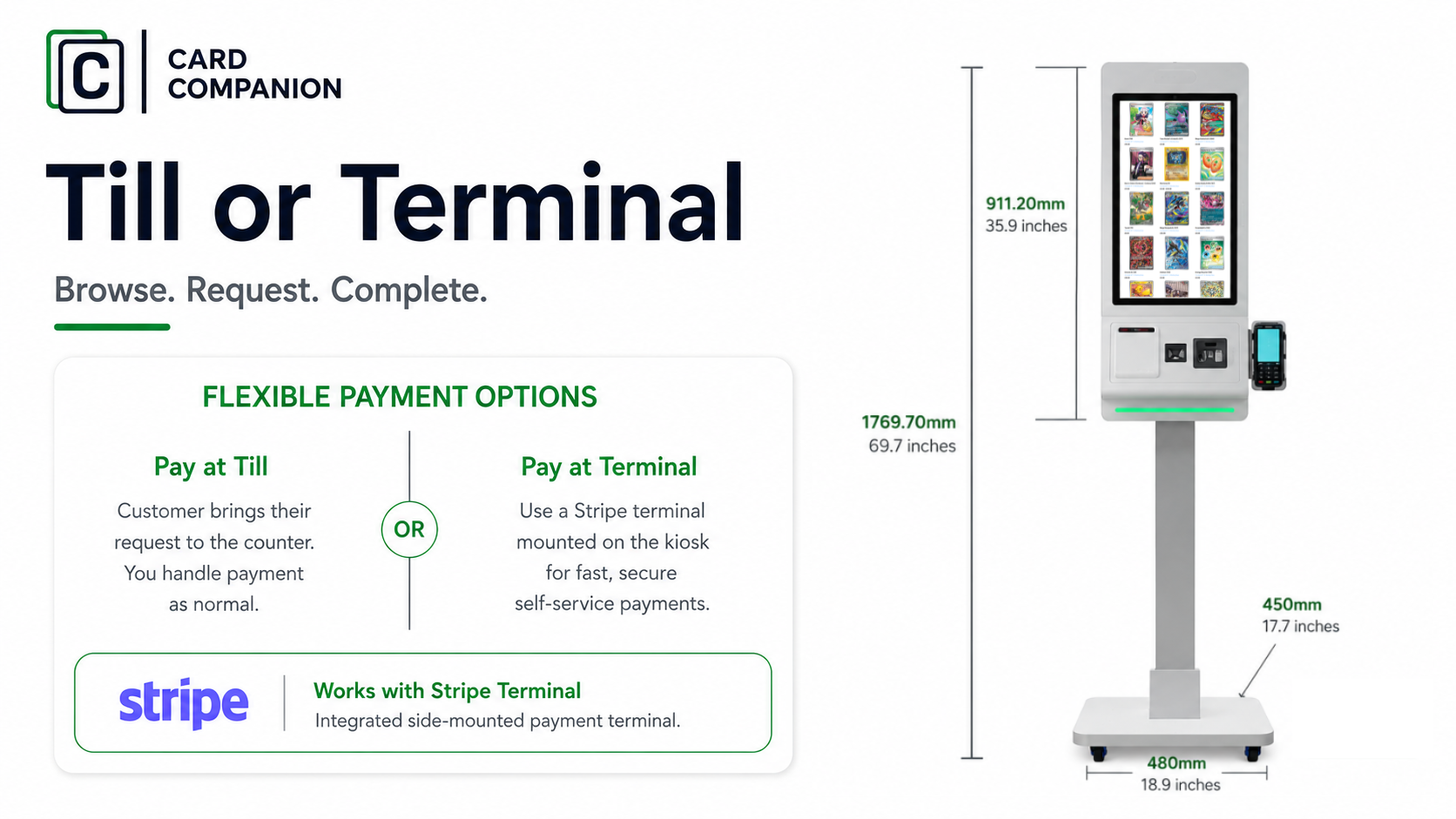
In a till flow, the customer builds the basket on the kiosk and brings the order to the counter. Staff pick the cards, check the copy, and take payment through the store's normal POS process.
In a self-service flow, the customer can pay at the kiosk with a compatible Stripe Terminal. That can suit stores that want a faster checkout route while still keeping a clean process for picked singles, condition checks, and anything that needs staff attention before handover.
Either way, the basket becomes a Shopify order. Your team is not copying product names from a note, guessing which version was requested, or rebuilding the basket in another system.
Use The Space For What Actually Needs Displaying
Binders and browsing tables can be useful, but they take up space, tie up staff, and only show a slice of what you sell. A compact kiosk gives the long tail of your inventory a visible place on the shop floor without spreading thousands of singles across cabinets, folders, and tables.
It also helps keep valuable singles safer. Customers can still browse your catalogue and discover more of the range, while the physical cards stay behind the counter until staff pick, check, and complete the order. Where configured, basket suggestions can also point customers toward sleeves, deck boxes, sealed products, or other add-ons that make sense with what they are already buying.
A Picking View For The Team
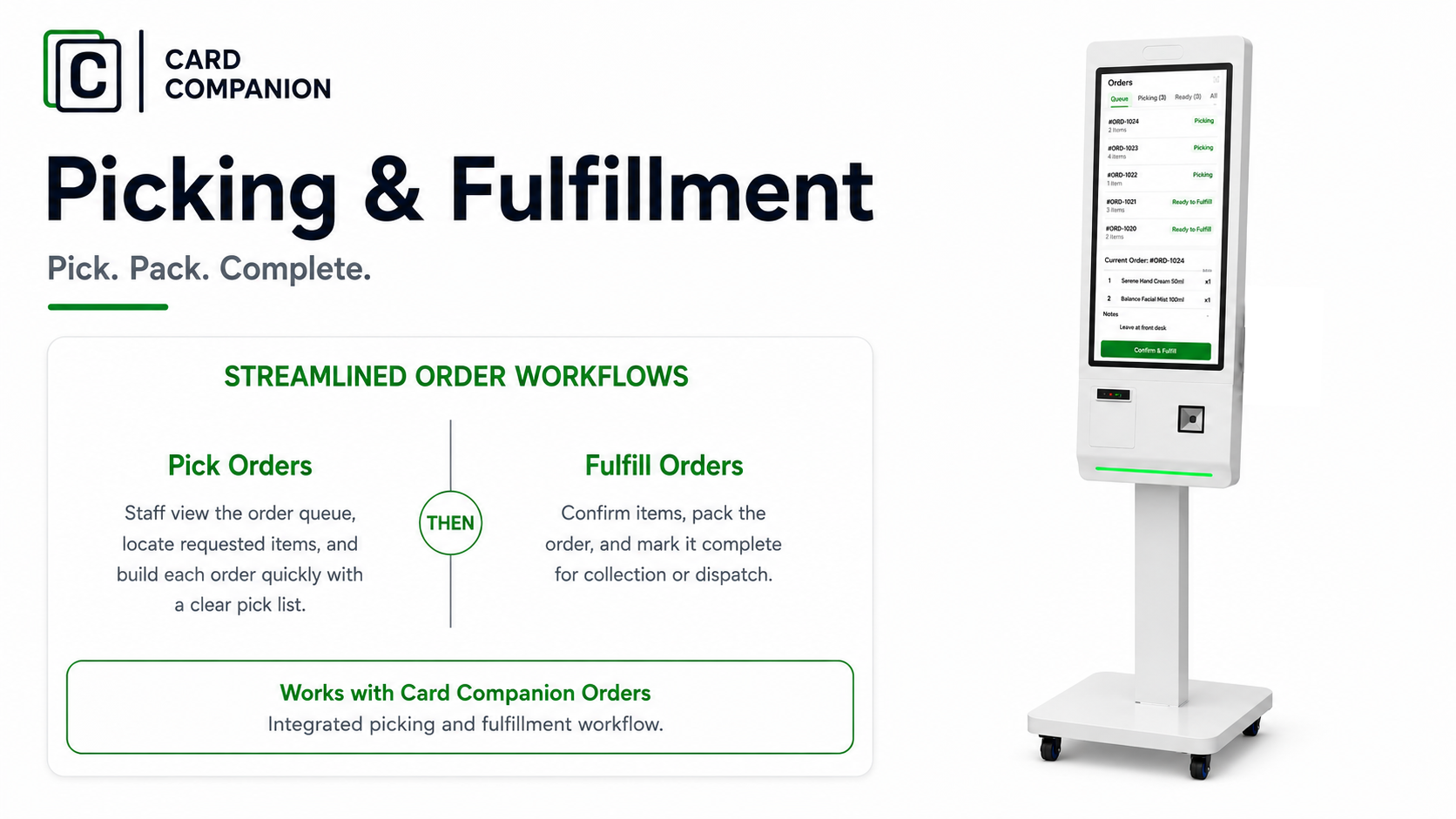
The same order workflow can act as a live pick sheet for Shopify orders, click-and-collect, and kiosk baskets.
Staff can see the product details they need to pick the right copy faster. The customer chooses from the catalogue. The order lands in Shopify. The picker sees the same card detail through fulfilment, leaving less room for misheard names, half-remembered variants, and mystery basket notes.
Connected To The Store Work Around It
The kiosk fits into the flow your store already uses: Card Companion, Shopify, POS, Cardmarket, buylists, online orders, and click-and-collect. Customers get a shop-floor way to browse and order, while your team keeps using the systems they already trust.
Kiosk FAQ
Does a kiosk basket create a Shopify order?
Yes. When a customer submits their basket, Card Companion creates a Shopify order. It appears in the same order area your team already uses, so staff can pick it, check it, take payment if needed, and complete it without retyping the basket somewhere else.
Does it remove stock from Shopify?
Yes. Because the kiosk basket becomes a Shopify order, products tracked in Shopify follow your normal inventory rules. If Shopify tracks stock for that product, the available quantity is reduced through the order.
Can customers pay at the kiosk?
Yes, if you want that flow. You can keep payment at the counter, or you can use kiosk checkout with a compatible Stripe Terminal. Both routes still create a Shopify order for the team to pick and process.
Do we need Stripe for self-service payments?
Yes. If customers are paying at the kiosk, you will need your own Stripe account and a compatible Stripe Terminal. If payment stays at the till, you do not need the self-service Stripe Terminal setup.
Will customers see all of our Shopify products?
The kiosk can give customers access to your Shopify catalogue, including singles, sealed product, accessories, and event products. That gives them a way to browse beyond the cabinet while still using the product data your team already manages.
Can valuable singles stay behind the counter?
Yes. That is one of the main reasons the kiosk helps. Customers can browse the catalogue on screen, while staff keep physical control of the cards until the order is picked, checked, and handed over.
Can staff check cards before handover?
Yes. Staff still control final card handling. They can pick the order, check condition, confirm language or finish, and speak to the customer before payment or handover. The kiosk gives staff clearer order detail, but it does not remove the shop's normal checking process.
Can the picking view help with online orders too?
Yes. The picking workflow can cover Shopify orders, click-and-collect, and kiosk baskets. Staff can see what needs picking next and which order each item belongs to.